Editor tools: position, rotate and scale units
By TitkaLV🦕👉👈 · retold
An illustrated introduction to Retold’s Advanced Transformation Tool and animation viewer for scenario composition.
Advanced Transformation Tool
To open the Setup Menu
objects / Advanced Transformation Tool
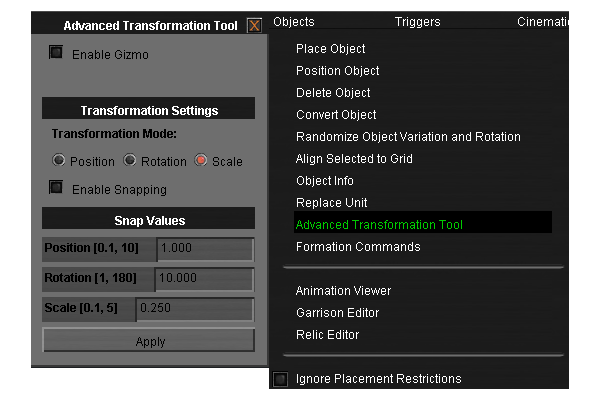
This is where you can manipulate the unit.
Don't forget to turn on Gizmo
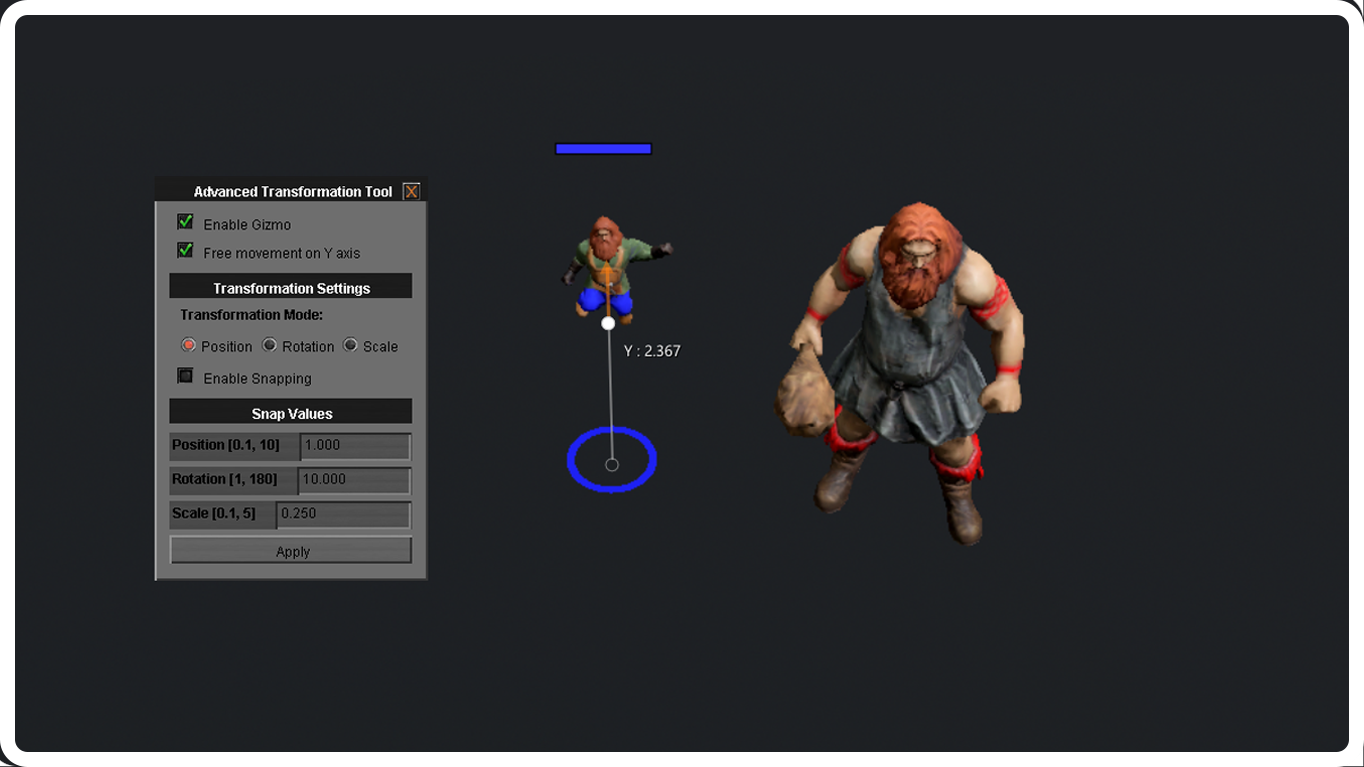
Position
Allows you to move the unit in space
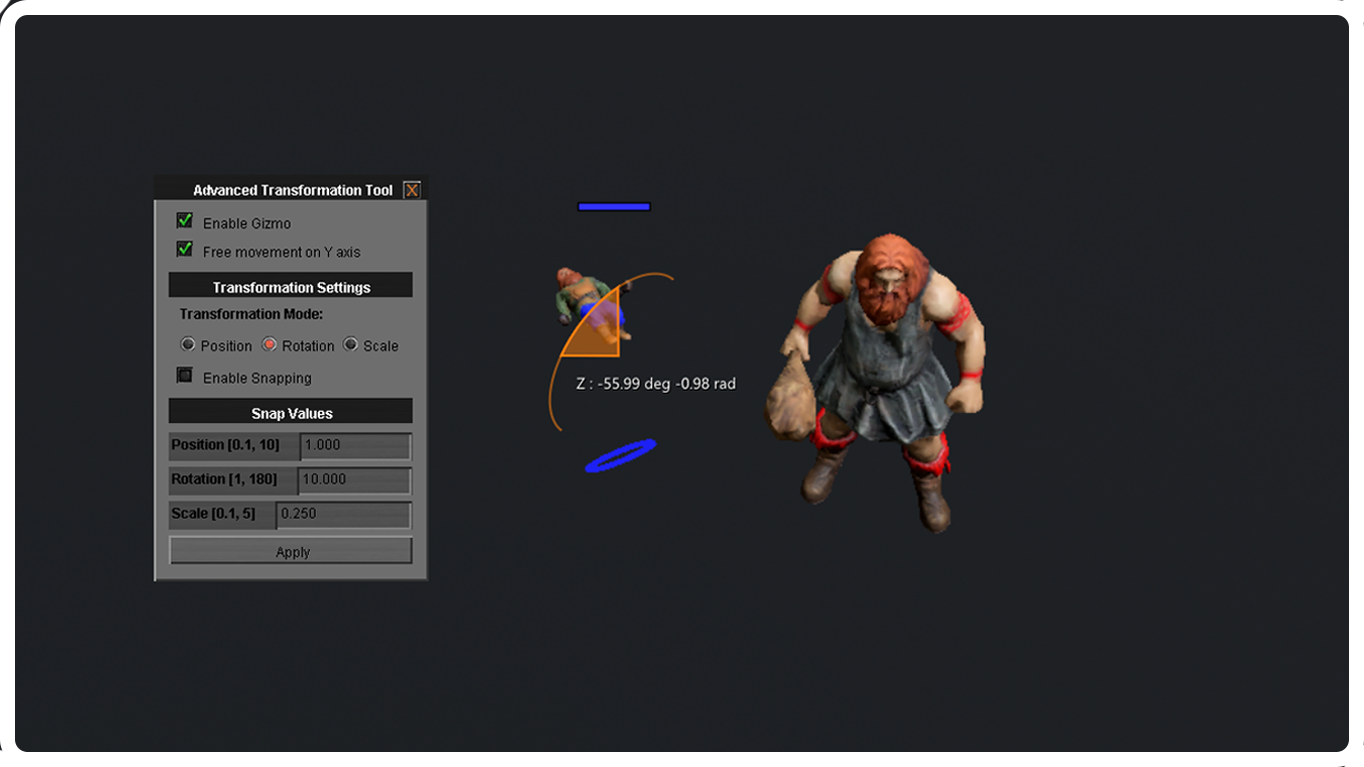
Rotation
Allows you to rotate the unit in space
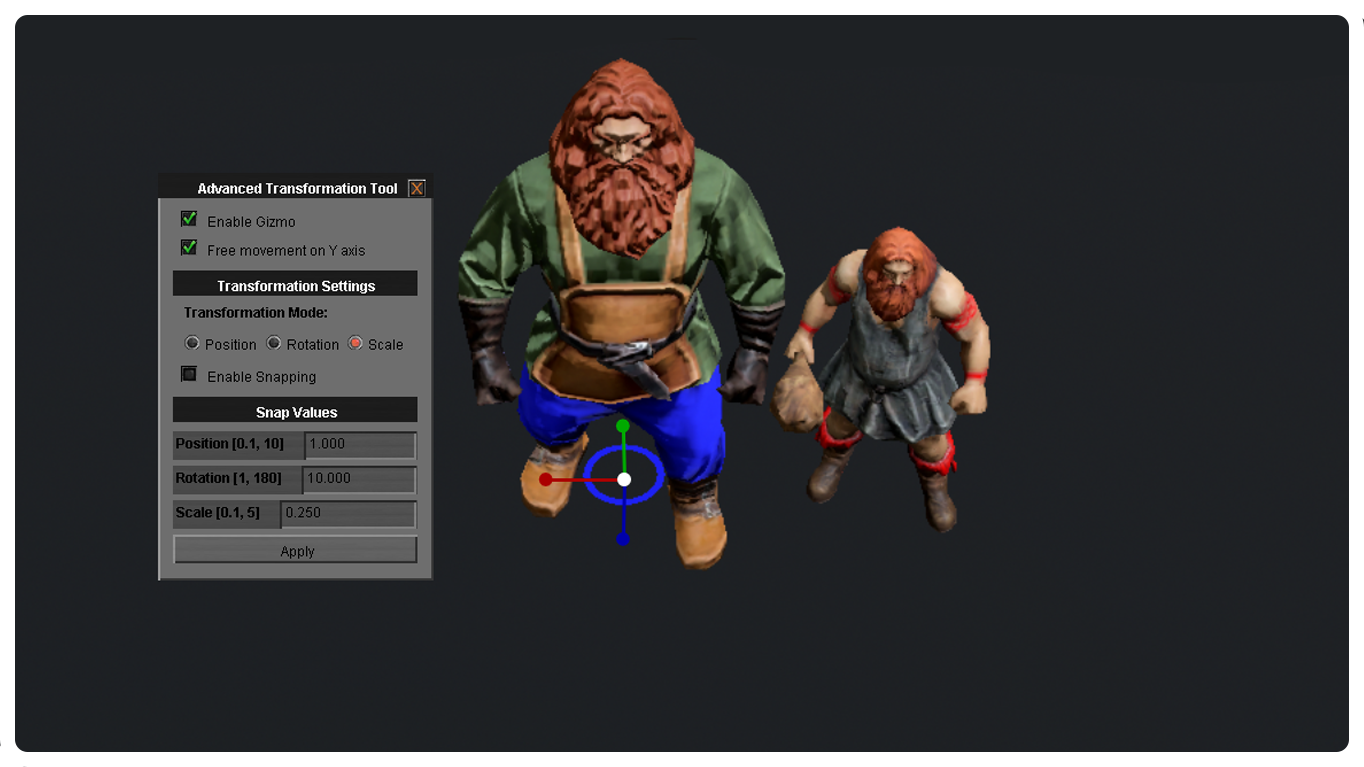
Scale
Allows to change unit size and dimensions
[Bonus] Animation Viewer
Allows you to view and set animations embedded in a unit


 https://steamcommunity.com/sharedfiles/filedetails/?id=3319237802
https://steamcommunity.com/sharedfiles/filedetails/?id=3327096500
https://steamcommunity.com/sharedfiles/filedetails/?id=3319237802
https://steamcommunity.com/sharedfiles/filedetails/?id=3327096500
Инструмент расширенной трансформации
Открываем меню настроек
Объекты / Инструмент расширенной трансформации
Здесь вы сможете манипулировать Юнитами.
Не забудьте включить Спецприбор
Расположение
Позволяет перемещать юнита в пространстве
Вращение
Позволяет вращать юнита в пространстве
Масштаб
Позволяет изменять размер юнита и габариты
[Бонус] Просмотр Анимации
Позволяет просматривать и устанавливать заложенные в юнита анимации
https://steamcommunity.com/sharedfiles/filedetails/?id=3319237802
https://steamcommunity.com/sharedfiles/filedetails/?id=3327096500
Source: TitkaLV🦕👉👈 · Steam Community guide “How to edit unit size | Как изменить размер юнита”